Overview
The Horizon Tile is a companion to Chronos View. It puts the same idea on a tile: tasks laid out over time, split by today.
The difference is scope. Chronos is the full view for working across many entities at once. The Horizon Tile is the glance version — it sits on the entity you’re on and tells you the state of its deadlines without leaving the page.
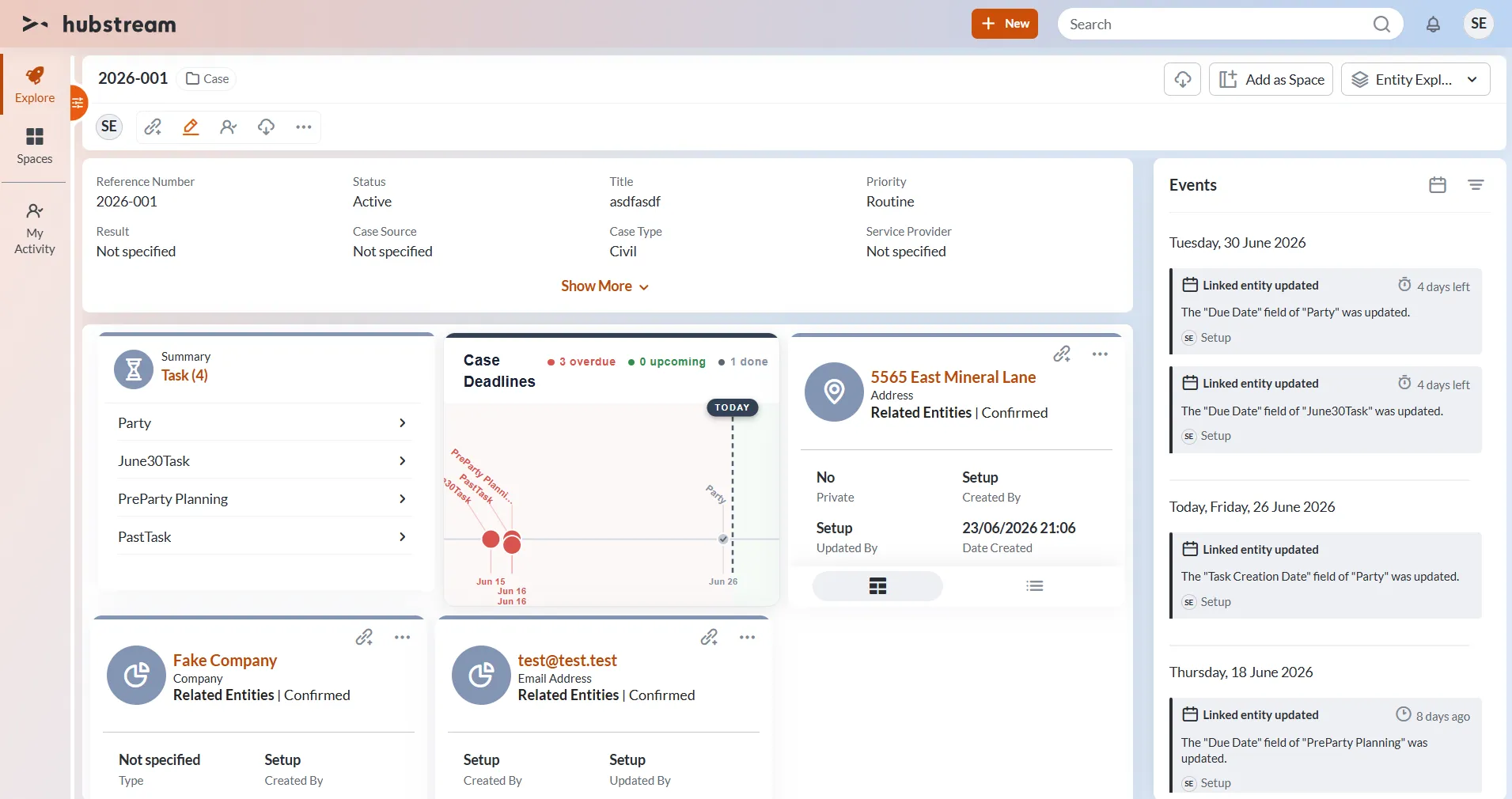
The tile on case 2026-001. Three overdue tasks sit left of the TODAY line, one is done, none are upcoming — and the counts along the top match the markers below.
What’s on the tile
- A heading. “Case Deadlines” in the example.
- Counts for overdue, upcoming, and done, color-matched to the markers.
- A TODAY line splitting the timeline. Overdue work sits to the left, upcoming to the right, and the two sides are tinted differently.
- A marker for each task, labeled and dated along the axis. Overdue tasks are red. Done tasks are checked and drawn muted, so finished work stays visible without competing for attention.
Configuration
The tile is configured in the admin. The exact keys aren’t documented yet.