🧪 Experimental feature (preview). This feature is under active development and released early so you can try it and give feedback. Behaviour, options, and results can change without notice, and it isn’t covered by the usual support and stability guarantees. Avoid relying on it for production work.
🚧 Not yet live (coming soon). Doc Viewer isn’t available yet. It’s documented ahead of release, so what’s described below can still change before it ships.
Overview
Doc Viewer shows the documents in your current query and renders the one you pick right there on the page. The list of documents sits on the left; the document itself fills the rest of the view. Switch the view from grid to Doc Viewer and the first document opens straight away.
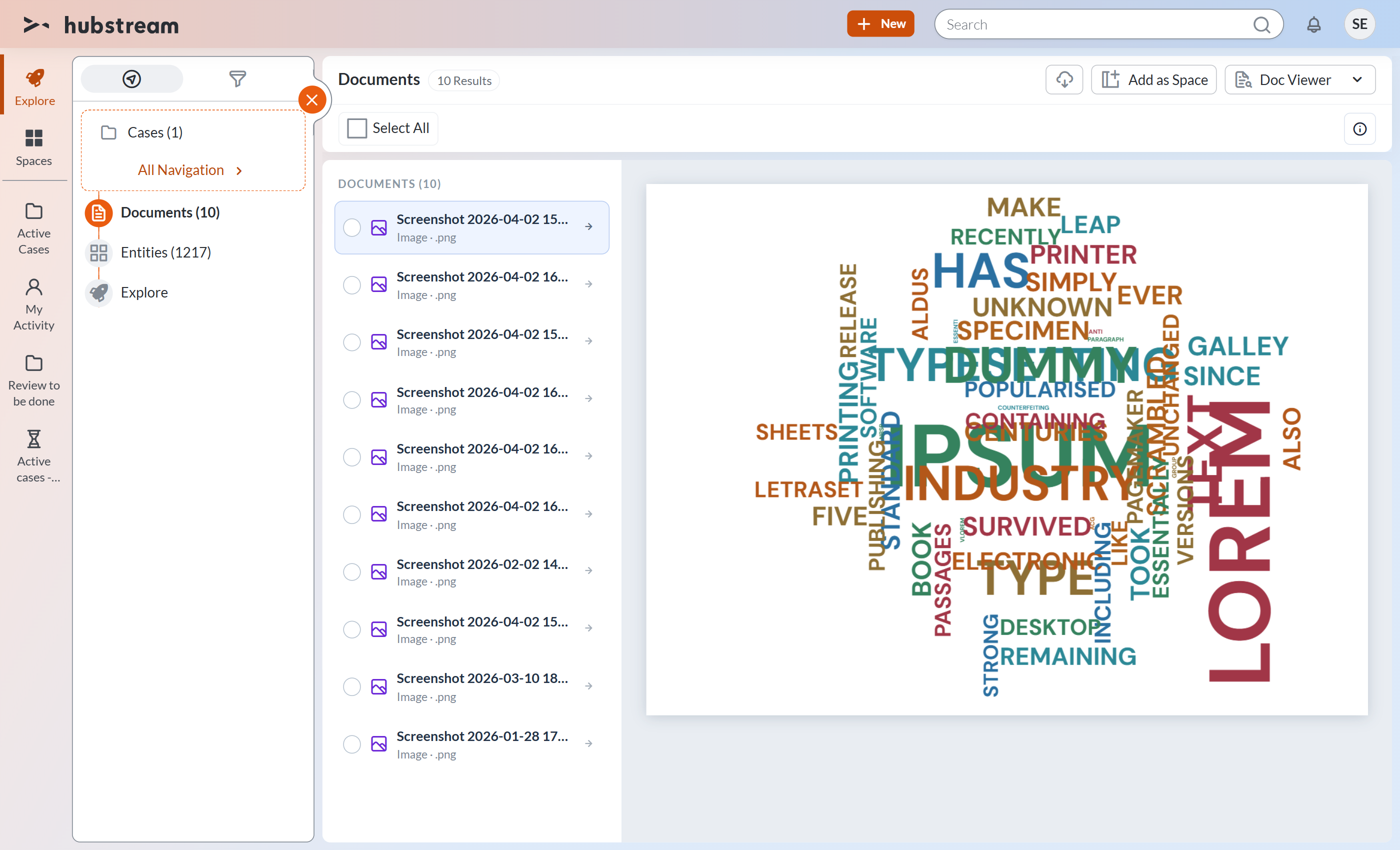
It reads the files as they are. Nothing is converted or uploaded anywhere else: the browser fetches the original and renders it locally.
What it can show
| File | How it appears |
|---|---|
Word (.docx) | Paginated pages, with headings, text and tables |
Excel (.xlsx, .xls, .csv) | One tab per worksheet, shown as a table with row numbers |
PowerPoint (.pptx) | Not previewed. The view asks you to convert the file to PDF, which it does render. |
| The browser’s own PDF viewer, so search and zoom work as you expect | |
| Images | The image, scaled to fit |
Text (.txt, .log, .json, .xml, …) | Plain text |
Anything else, such as PowerPoint decks, older .doc and .ppt files, videos or archives, is listed but not previewed. Select it and use the usual Download action to open the original in its own application.
Choosing what appears
Doc Viewer works on the query you’re already on, so navigate to the documents you care about first, then switch the view. On a query that isn’t about documents at all, the view offers View related Documents instead of an empty page, which takes you to the documents linked to those records and keeps you in Doc Viewer.
Working with the documents
- Click a document in the list to render it.
- Click the arrow at the end of its row to open the document’s own record, where every property is available.
- Selection works as it does everywhere else, Select All included, and the usual actions, Download among them, appear once you’ve selected something.
- Page through a long list with the usual pager at the foot of the document list; it works exactly as it does in the Grid view.
- Step through documents with the small ‹ › buttons beside Select All; they appear when the page holds more than one document, with an “n / N” count between them for the current page.
- Hide or show the list with the list button next to them. It starts closed when there is only one document and open when there are more.
- Turn on the info toggle (the ⓘ button beside Select All) to see the document’s thumbnail, name and recorded properties above the rendered file. The name there opens the document’s record. It stays off until you want it.
Known limitations
- Older binary Office formats (
.doc,.ppt) aren’t rendered; they download instead. Excel’s.xlsis fine. - Rendering is faithful, not perfect. Complex Word layouts can look a little different from Office.
- Very large text files are cut off at two megabytes on screen; the downloaded file is always complete.
- The view follows the current query exactly. Widening what it reaches beyond the linked documents is the part most likely to change.